
PRESET SELECTED · READY TO APPLY
Browse all 60 presets →The Dark Knight photo filter: crushed blacks and cold steel, inspired by Gotham.
A free The Dark Knight photo editor and color grading preset inspired by the visual aesthetic of Christopher Nolan's The Dark Knight, built for photographers who want that high-contrast, cold-toned Gotham look without touching a curves panel.
Gotham's cold steel, shot for IMAX
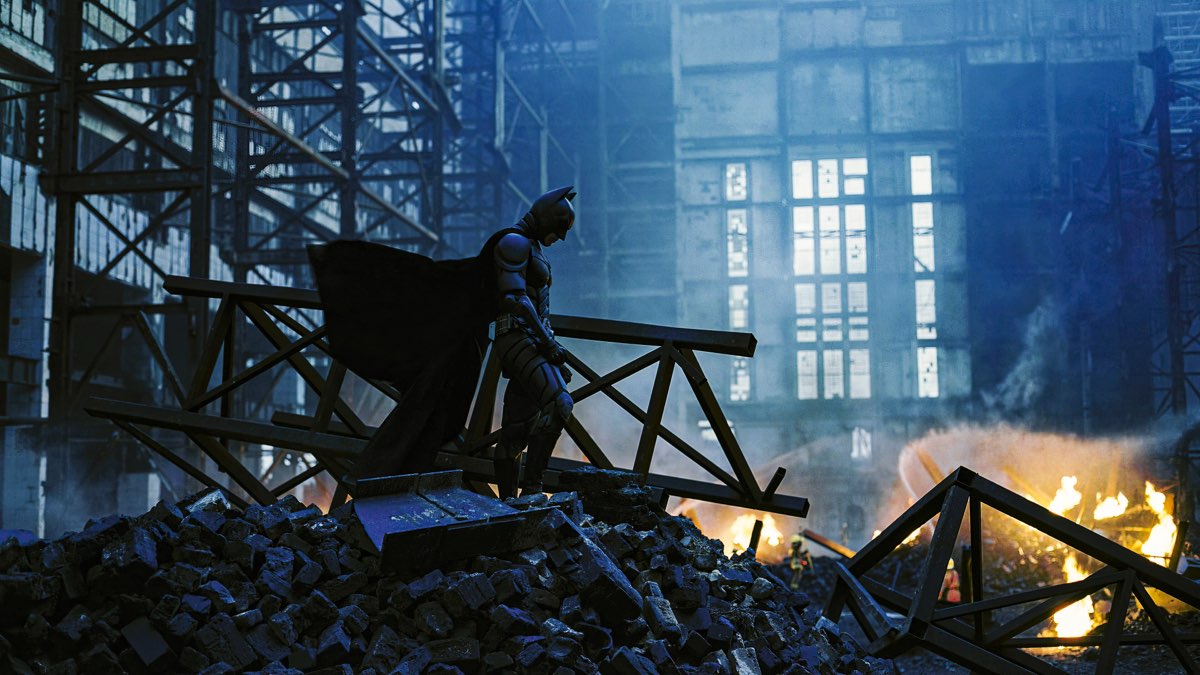
The Dark Knight built its visual identity on scale and shadow. Shooting large sections on IMAX film, cinematographer Wally Pfister favored hard, directional light and let shadow detail crush rather than lifting it for safety, so Gotham's skyline reads as dense, looming architecture instead of a lit backdrop. Color stayed restrained: steel blues and desaturated olive-greys dominate, with warmth reserved for the rare interior or firelit scene.
It's a look built on contrast and control rather than saturation. Skin tones stay natural even as the surrounding frame goes cold, which is what separates this grade from a simple blue color-cast filter: the color shift lives in the shadows and midtones, not flattened uniformly across the whole image.
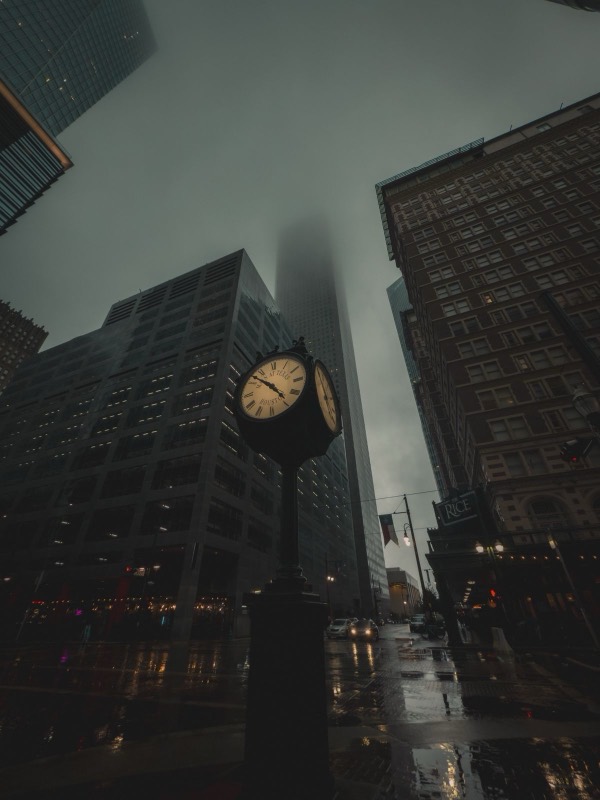
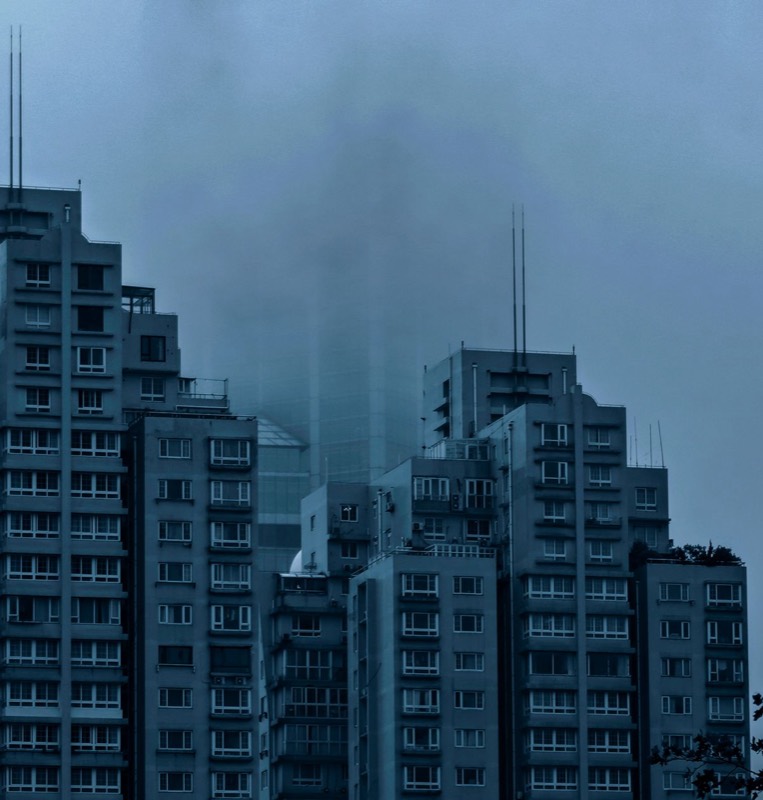
See the grade applied
How the Dark Knight color grade actually works
The preset pushes contrast hard, desaturates moderately, and pulls brightness down to crush shadow detail before any color is added, the foundation of the film's dense, underexposed feel. On top of that base, a two-tone overlay splits the frame: shadows shift toward a dark teal-black, while highlights lean into a muted olive-steel. That split is what gives the grade its cold, metallic read without turning the whole photo a single flat blue, the way a basic tint filter would.
The default vignette sits at the high end of the tool's presets, drawing the eye inward and reinforcing the sense of scale and shadow the film is known for. Grain is kept moderate, enough to read as a film stock rather than a clean digital push.
What to shoot it on
- Night city architecture. Skylines, bridges, and buildings with strong vertical lines reward the crushed shadow detail and cold highlight tone.
- Moody, hard-light portraits. A single strong light source, window light, a streetlamp, headlights, plays well against the grade's contrast curve.
- Rain-slicked streets. Wet pavement picks up the cold highlight tone as reflected light, adding depth the grade alone can't create.
More movie-inspired grades
Browse all 60 presets →

Common questions about the Dark Knight photo filter
Is this an official The Dark Knight photo filter?
No. This preset is inspired by the visual aesthetic of The Dark Knight's cinematography, it's not an official filter licensed by or affiliated with Warner Bros., DC, or the film's creators. It's an independent color grade built to recreate the look, not a branded product.
Is there a dedicated Dark Knight photo editor, or do I have to dig through a preset list?
This page is that dedicated editor — the Dark Knight grade loads pre-selected in the drop zone above, so you can drop a photo and immediately adjust its grain, vignette, glow, and letterbox without hunting through the full 60-preset library first.
Does the Dark Knight preset work on daytime photos, or only night shots?
It works on both, but it's built around the film's high-contrast, cold-toned night scenes, so it shows off best on photos with some existing shadow depth: overcast skies, indoor light, or dusk. On very bright, flat daylight photos, the contrast push and vignette are still applied but read a little less dramatically.
How is the Dark Knight preset different from the The Batman preset?
They're both Batman-universe grades but built around different films' cinematography. The Dark Knight preset leans cold steel and olive-tinted, with crushed shadow detail and a lower saturation push. The Batman preset goes further into crimson-black noir with a heavier vignette and a lower brightness floor. Compare them side by side in the editor to see which fits your photo.
My photo looks too dark after applying the Dark Knight grade. How do I fix it?
The preset defaults to a strong vignette (48) and a brightness pull to crush shadow detail, which is core to the look, but you can back off the vignette slider in the editor if it feels too heavy, or start from a photo with brighter ambient light so the shadows still hold detail once the grade is applied.
What kind of photos look best with a Dark Knight-style color grade?
Night cityscapes, wet streets, and buildings with strong architectural lines tend to work best, since the grade is built to reward hard directional light and deep shadow. Moody portraits under harsh or single-source lighting also hold up well against the cold steel tone.
Can I use the Dark Knight photo effect for a movie poster or thumbnail?
Yes. The preset, along with the film grain, vignette, and anamorphic letterbox controls in the editor, is designed to get a flat photo close to a poster-ready cinematic still in a few clicks, and every export is yours to use freely since nothing is watermarked or gated behind an account.
Prefer a different film's look? Browse the full library of 60 presets, see more dark and moody presets, or head to the homepage to start with a blank slate.