
PRESET SELECTED · READY TO APPLY
Browse all 60 presets →The Dune photo filter: sunbaked gold and blown desert light.
A free Dune photo editor and color grading preset inspired by the visual aesthetic of Denis Villeneuve's Dune, built to give photos the film's warm, sun-bleached desert glow without touching a curves panel.
Scale, sand, and blown-out light
Cinematographer Greig Fraser shot Dune around scale and heat: tiny figures against vast, sun-flattened dunes, with highlights allowed to blow out rather than being protected the way a conventional exposure would. Color leans warm and desaturated at once, gold and sepia tones dominate, but without the punchy saturation of a typical "warm filter," keeping the palette closer to bleached sand than postcard sunset.
Negative space carries as much weight as the subject. Wide compositions with a small human element against an enormous, harshly lit landscape are the film's signature shot, and it's a look this grade rewards directly through its combination of warm tone and open, glowing highlights.
See the grade applied

How the Dune color grade actually works
This is the warmest base filter of the five movie grades here: a strong sepia push combined with elevated saturation, contrast, and brightness sets the sand-and-gold foundation before any overlay is added. A soft-light gradient then layers deep brown shadows into pale, near-white gold highlights, at the highest overlay opacity of any preset in this set, which is what gives the grade its distinct blown, glowing quality.
The default vignette is the lightest of the five, deliberately: the frame stays open and sun-bright rather than closing in toward the edges, the opposite instinct from a grade like Dark Knight's. A generous glow setting rounds it out, letting bright highlights bloom softly at the edges.
What to shoot it on
- Desert or dry landscapes. Open sand, rock, and horizon lines are exactly what this grade's warmth and glow are tuned for.
- Golden-hour, backlit portraits. Direct low sun plays directly into the elevated glow and warm highlight bloom.
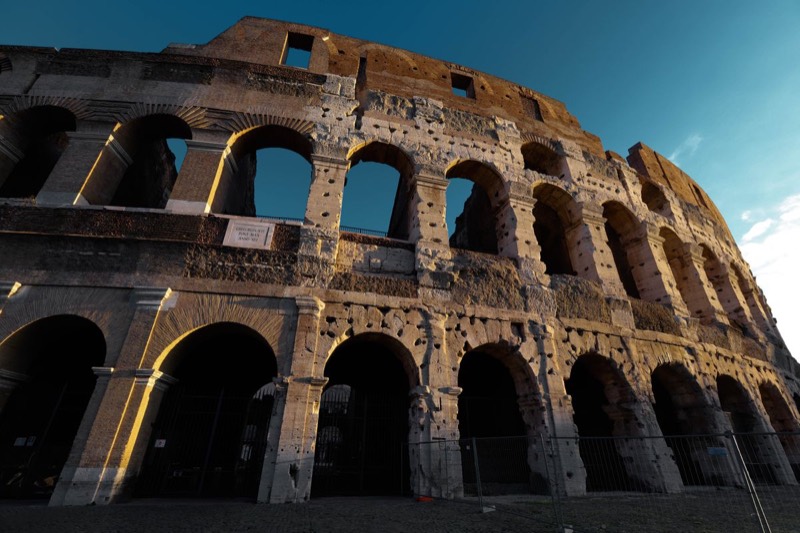
- Sunlit architecture or ruins. Strong directional light on stone or sand-colored surfaces amplifies the sepia base tone.
More movie-inspired grades
Browse all 60 presets →
Common questions about the Dune photo filter
Is this an official Dune photo filter?
No. This preset is inspired by the visual aesthetic of Dune's cinematography, it isn't an official filter licensed by or affiliated with the studio or the film's creators. It's an independent color grade built to recreate the look, not a branded tie-in.
Is there a dedicated Dune photo editor?
This page is that dedicated editor — the Dune grade loads pre-selected in the drop zone above, so you can drop a photo and immediately adjust its glow, vignette, and grain without hunting through the full 60-preset library first.
Does the Dune preset work on photos that aren’t deserts or sand?
Yes. The grade is a color and contrast shift, warm sepia tone, lifted highlights, gentle vignette, so it applies to any photo. It reads most naturally on scenes that already have warm, direct light: dry landscapes, golden hour, or sunlit architecture, but it isn't limited to desert subjects.
My photo’s highlights look blown out after applying the Dune preset. Is that intentional?
Largely, yes. The preset pushes brightness and saturation up while adding a strong warm overlay, deliberately mimicking the film's sun-bleached, slightly overexposed highlight style. If it's too aggressive for your photo, the exposure and highlight areas can be pulled back afterward using the vignette and glow sliders in the editor.
How is the Dune preset different from the Gladiator preset?
Both lean warm and golden, but the Dune grade goes heavier on sepia and highlight bloom with a very light vignette, an open, sun-bright feel. The Gladiator preset keeps the vignette stronger and saturation lower, closer to a bleached, sandy arena tone than Dune's blown, glowing desert light.
Can I use the Dune photo effect for portrait photography?
Yes, especially backlit or golden-hour portraits. The warm overlay and elevated glow flatter skin tones with directional sunlight, though on flat, front-lit portraits the effect will read more like a warm color cast than a dramatic desert grade.
What kind of photos look best with a Dune-style color grade?
Wide desert or dry-landscape shots, golden-hour scenes with strong backlighting, and sunlit architecture or ruins all pair well, since they already have the warm, high-contrast light this preset is built to amplify.
Prefer a different film's look? Browse the full library of 60 presets, read the full guide to making photos look cinematic, or head to the homepage to start with a blank slate.